 FastFix connector for AI assistants
Build your own tools around what you actually need, not what a software company decides you need.
Describe a tool to your AI agent. Try a clickable preview. Save it to your dashboard with your real data. Change it anytime.
https://fastfix.ai/dashboard/mcpHow you build a tool
Four steps, all in your chat.
Describe it
In your own words. Your agent calls request_tool.
Try the preview
You get a clickable preview in chat. Nothing is saved yet.
Not right? Say what to change (edit_tool).
Save it
Only after you say yes (approve_tool). It lands on your dashboard with your real data.
Change it anytime
Ask for a new column, a filter or a total whenever your needs change. Every tool gets the same clean FastFix layout.
Your bots do the rest
Once a tool is on your dashboard, it stays current.
Your bots update your tools as they work. No copy-paste, no spreadsheets.
Ask your bots about your data, and they answer from it.
See what every bot and team member is doing, with proof screenshots.
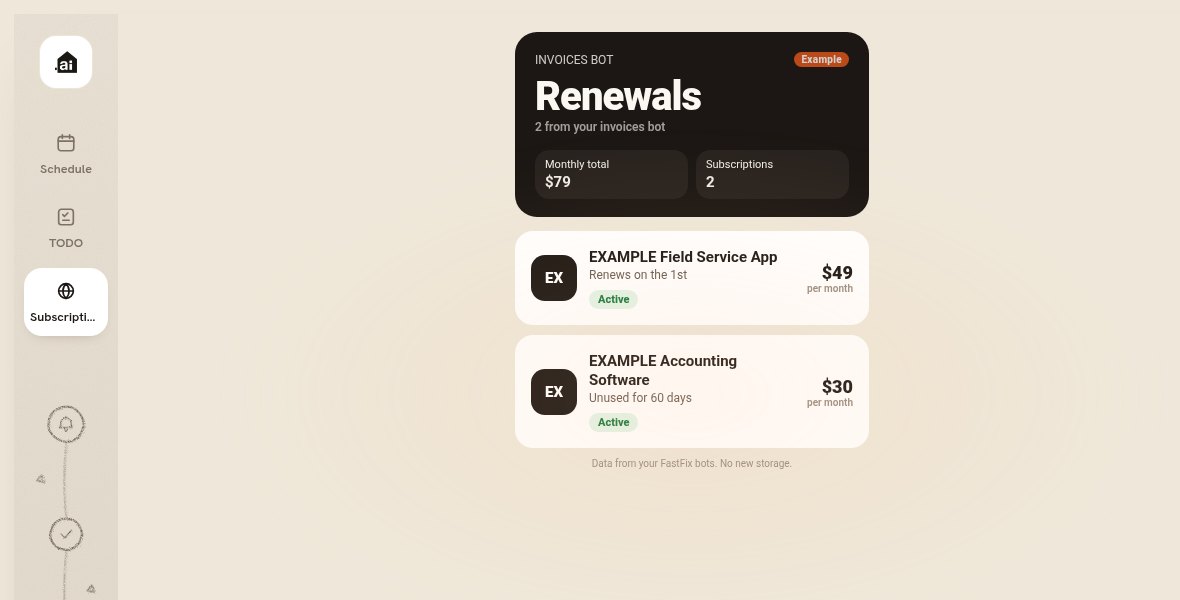
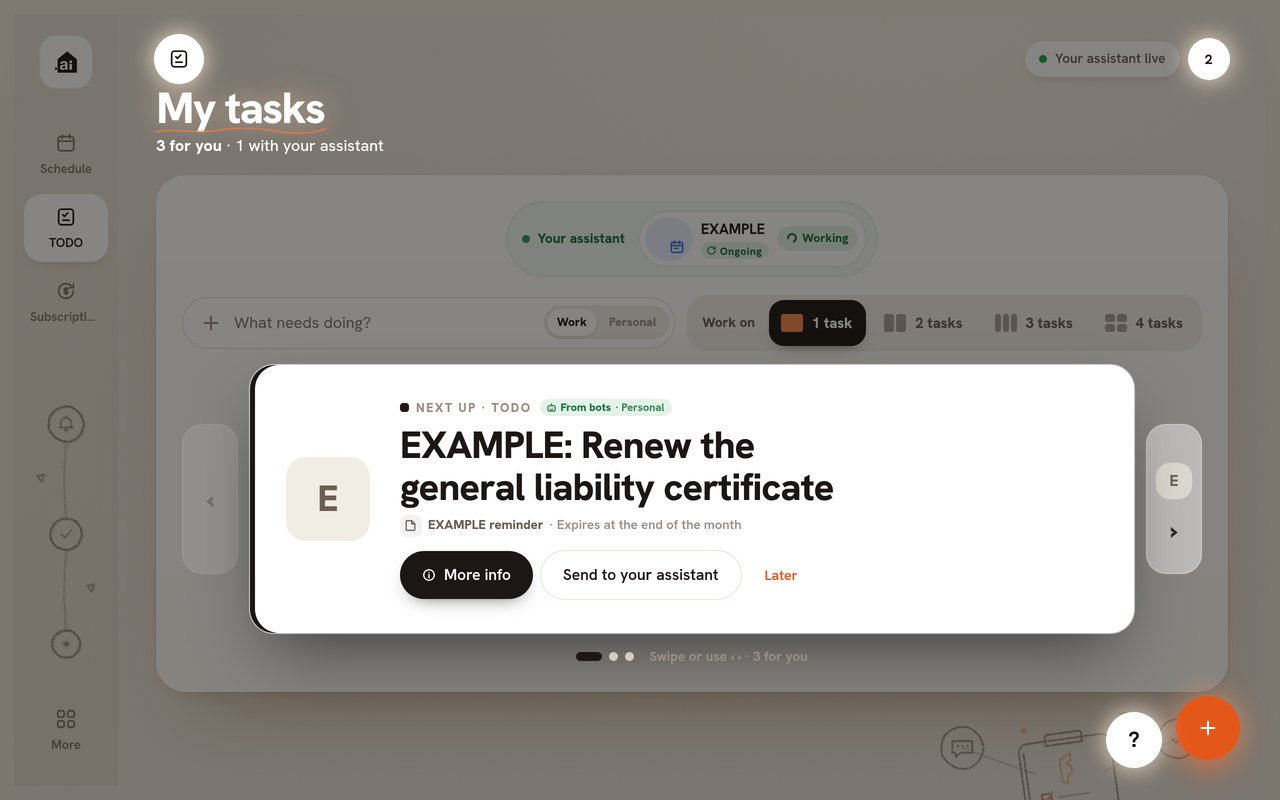
Built-in tools your bots keep current
Every account starts with these. Every change shows up right away, labelled as added by an assistant.
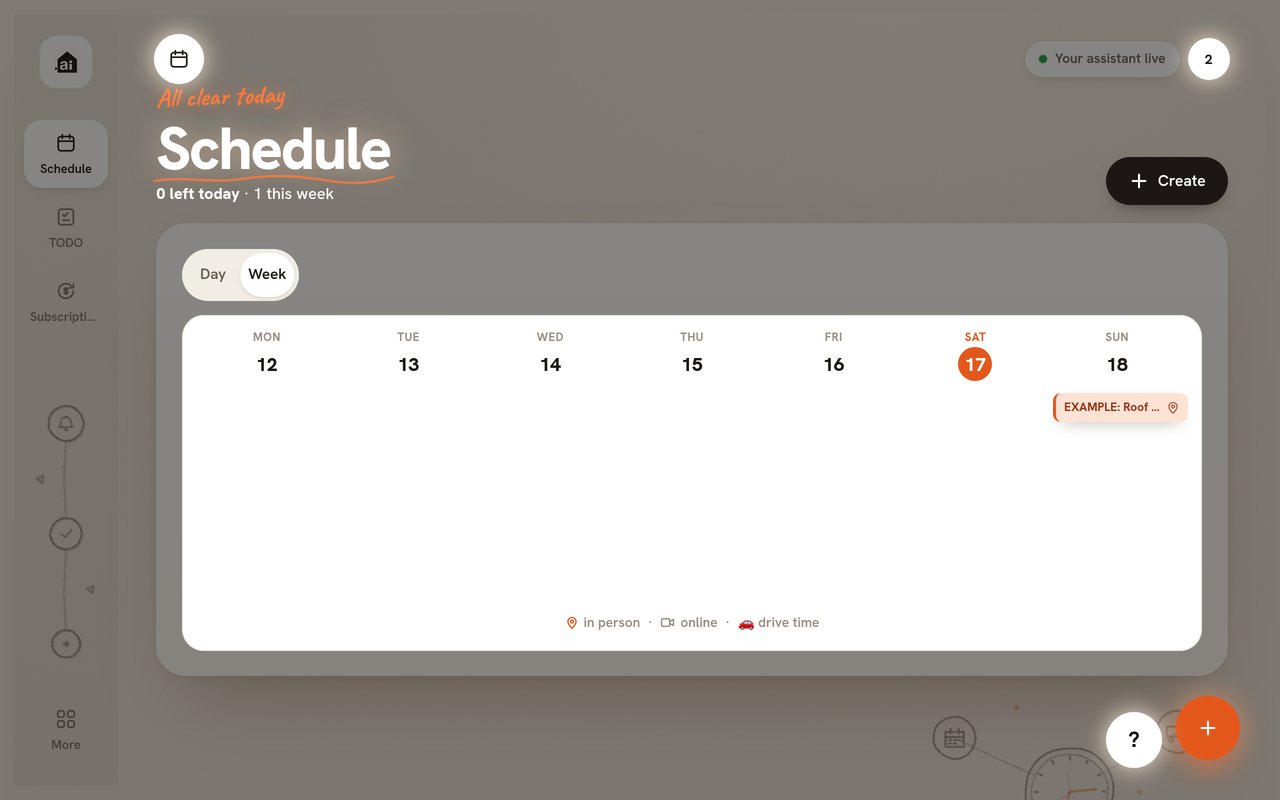
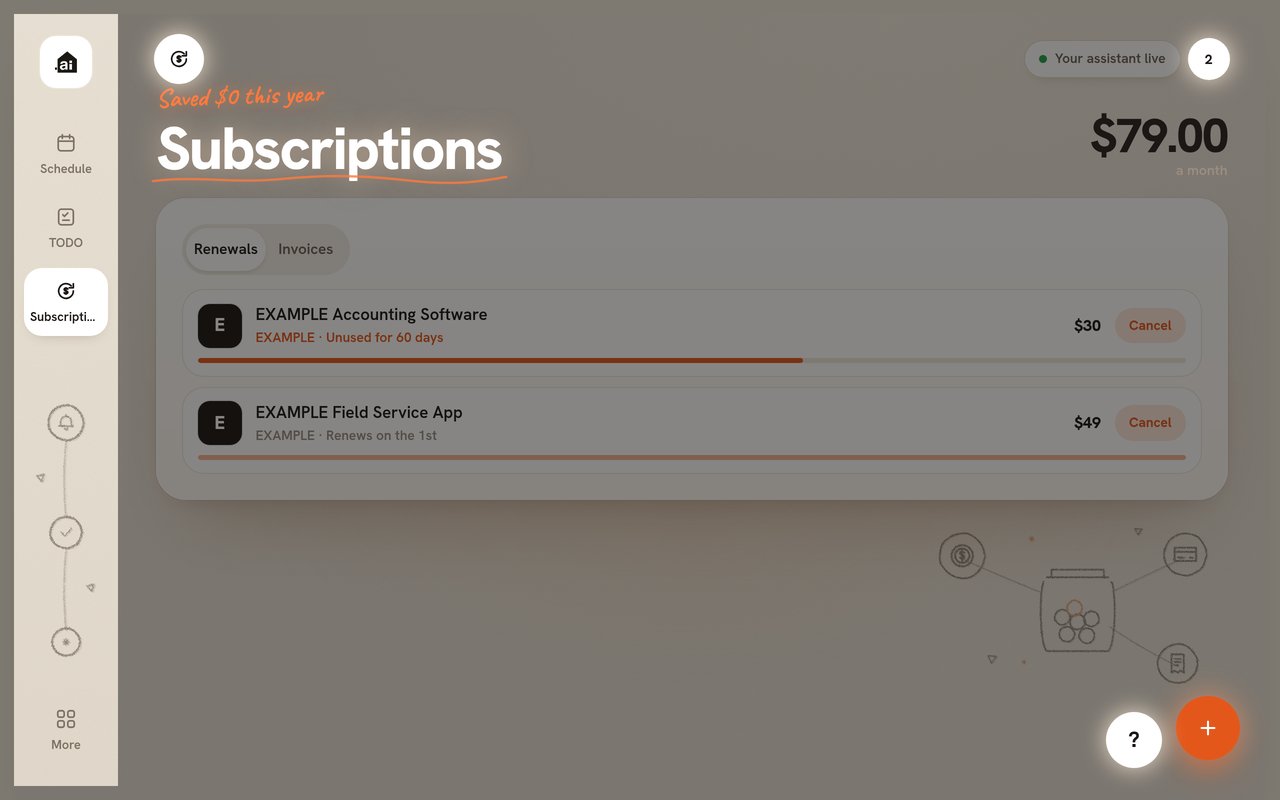
Connect in a minute
One URL. No server to run, no API keys to copy.
Connector URL (Streamable HTTP, OAuth 2.1 with PKCE)https://fastfix.ai/dashboard/mcp
- Claude (web and desktop): Settings → Connectors → Add custom connector, then paste the URL.
- Claude Code:
claude mcp add --transport http fastfix https://fastfix.ai/dashboard/mcp - ChatGPT: add it as an app or connector with the URL (developer mode until the directory listing is live).
- Cursor and Grok Bot: install the FastFix plugin, or add this to
~/.cursor/mcp.json:
{ "mcpServers": { "fastfix": { "url": "https://fastfix.ai/dashboard/mcp" } } }
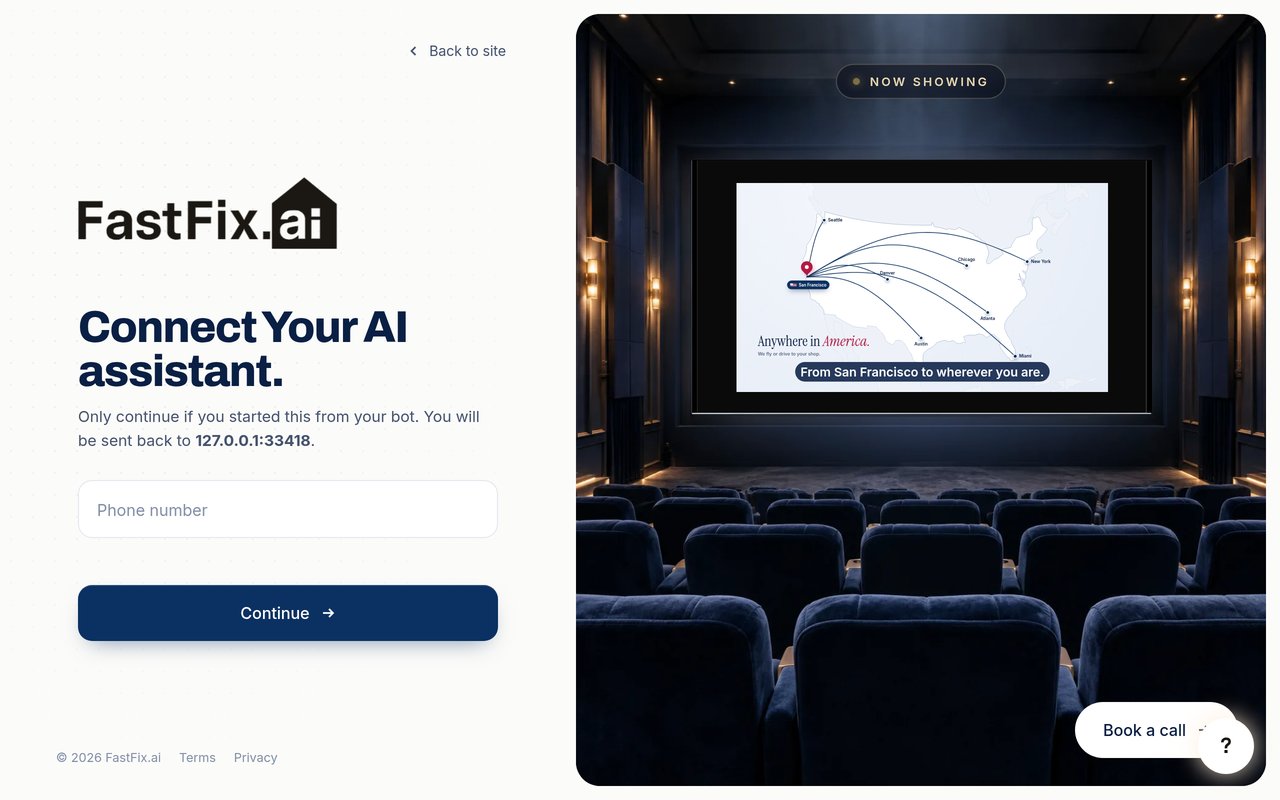
Sign in with your mobile number and the 6-digit code we text you. Your agent never sees your code; it gets a FastFix token that only works for this connector.
Who can sign in: Anyone with a mobile number in a supported country (US and Canada at launch) can create an account. The first sign-in creates an empty, private account.
Tools
Read only reads. Adds or edits creates or changes data you can edit back. Changes or removes overwrites, removes or saves something, so agents usually ask first. No tool reaches outside your FastFix account.
Build your own tools
request_tooltool builderAdds or editsedit_tooltool builderAdds or editsapprove_tooltool builderChanges or removesrate_tooltool builderAdds or editslist_my_toolstool builderReadupdate_tool_dataAdds or edits
Tasks and routines
list_tasksReadadd_taskAdds or editsupdate_taskChanges or removescomplete_taskChanges or removesadd_task_commentAdds or editslist_task_commentsReadreport_routine_runAdds or editsattach_proofAdds or editsupdate_proofChanges or removesdelete_proofChanges or removes
Calendar
list_eventsReadadd_eventAdds or editsupdate_eventChanges or removes
Subscriptions and invoices
list_subscriptionsReadupsert_subscriptionChanges or removesupdate_subscription_statusChanges or removes
Connectors
list_connectorsReadinstall_connectorAdds or edits
Full descriptions of all 24 tools
| Tool | Name | Type | What it does |
|---|---|---|---|
request_ tool builder | Build a private dashboard tool | Adds or edits | Builds a small private dashboard tool for this account: a view over data the owner's FastFix bots already have (schedule, tasks, subscriptions, invoices, domains, proofs, routines). Saved templates are used first, at no model cost. Pictures, videos, audio and logos are links, never files: pass media_urls (YouTube, Vimeo, Google Drive, direct image/video or Supabase public links), audio_urls (call recordings such as Bland recording_url links) and websites (company domains such as "safeway.com"); the kit shows small lazy thumbnails that play from the source, inline audio players and favicon logos, with the plain gradient / letter tile when a link fails. Returns a clickable HTML preview (preview_file + preview_html, also attached as an HTML resource) to show the owner before anything ships, or a refusal with an alternative. Previews always use the fixed FastFix kit; this tool is the supported way to create or mock up a dashboard tool, and its preview is meant to be shared unchanged. Limit: 3 new tools per day per account. |
edit_ tool builder | Edit a dashboard tool preview | Adds or edits | Changes one part of a tool from request_tool and returns a new preview. Only the targeted section is rewritten; the layout stays the same. Limit: 5 edits per day per account. |
approve_ tool builder | Ship a dashboard tool | Changes or removes | Ships a previewed tool to this account only. Use it after the owner has seen the preview and confirmed. |
rate_ tool builder | Rate a dashboard tool | Adds or edits | Records the owner's thumbs up or down on one of their tools. Only the layout's shape (no words, numbers or account details) is counted, anonymously, toward the shared FastFix templates. |
list_ tool builder | List my dashboard tools | Read | Lists the DIY tools on this account and their status. |
list_ | List TODO tasks and routines | Read | Lists the TODO page: one-time tasks and ongoing routines (jobs the bot keeps running), grouped by list, with ids, status, notes, comments and attached proof. added_by is "user" for tasks the owner typed himself (his own) and "bot" for tasks bots collected (from email, meetings, other bots); area is work or personal. Items with assignee "bot" were handed to you by the owner (the dashboard hand-off button; status "waiting" until you start, then "working"). Use delegated=true to get your queue: those items plus any task where the owner commented after your last reply (needs_reply). Do each one, then finish with attach_proof + complete_task, or add_task_comment if you need the owner. |
add_ | Add a TODO task or routine | Adds or edits | Adds a one-time task, or an ongoing routine (routine=true) that shows as "Working" on the TODO page. It appears at the top of the list on the dashboard right away. Include where it came from (source, source_url) and why it exists (why): the card shows them under the title. |
update_ | Update a task or routine | Changes or removes | Changes a task or routine: title, note, due label, urgency, list, where it came from (source, source_url) and why, routine stage (asked → working → proof → done) or whether the owner needs to act. |
complete_ | Complete a task or routine | Changes or removes | Marks a one-time task done, or finishes a routine (shows "Proof ✓"). Records what was done and a proof screenshot URL. Tasks the owner handed to you (assignee "bot") need proof: pass proof_url, or attach_proof first; the owner reviews it on the dashboard. |
report_ | Report a routine run | Adds or edits | Logs one run of an ongoing routine (what the bot did and the result). status "stuck" flags it as needing the owner ("Your turn"). |
attach_ | Attach a proof screenshot | Adds or edits | Attaches a proof screenshot (https image URL) to a task or routine. It shows in the task's proof strip on the dashboard as the picture with the caption as its one-line title; when the owner opens it, the caption is the one line shown above the image (the task title if there is none), and they answer "Is this right?". A "No, fix it" comes back as an owner comment (needs_reply in list_tasks). Returns proof_id for update_proof / delete_proof. |
update_ | Edit a proof | Changes or removes | Changes the caption (the one line shown under the picture and above it in the viewer) and/or the screenshot of a proof. A new screenshot asks the owner "Is this right?" again. |
delete_ | Delete a proof | Changes or removes | Removes a proof screenshot from its task (for a wrong or duplicate screenshot). |
add_ | Comment on a task | Adds or edits | Writes a comment on a task; the owner sees it under the task (More info). Use it when you need the owner for a task they handed you (a decision, a login, a card, something only a person can do): by default this hands the task back to them with your comment shown under the title. Set needs_you=false for a progress note or a reply that keeps the task with you. |
list_ | Read the comments on a task | Read | All comments on a task, oldest first: author "user" (the owner) or "bot" (you). |
list_ | List schedule events | Read | Lists Schedule events between two times (default: this week, Monday to Sunday), with place, online / in person, and the "What's going to happen" bullets. Times are ISO 8601; times without an offset are in the owner's time zone (returned as "timezone", default America/Los_Angeles). |
add_ | Add a schedule event | Adds or edits | Adds an event to the Schedule page. The dashboard shows the current week, so events this week appear immediately. Times are ISO 8601; without an offset they are in the owner's time zone (default America/Los_Angeles). Give a location for in-person events (the dashboard shows a pin, a drive card and a Google Maps button) or a meeting_url for online ones (camera icon). |
update_ | Update a schedule event | Changes or removes | Changes an event: title, time, place, online / in person, or the "What's going to happen" bullets (set them directly, or pass the owner's ideas to have them organized). Times without an offset are in the owner's time zone (default America/Los_Angeles). Pass "" to clear a text field. |
list_ | List subscriptions and invoices | Read | Lists the Subscriptions page: tool renewals (monthly price, on/off) and invoices to approve (open/late/paid). Subscriptions the owner tapped "Cancel" on have cancel_requested and a cancel_stage (requested → canceling → canceled → refund_asked → refunded). cancel_requested=true lists only the cancellations you still have to work on (requested, canceling, refund_asked). |
upsert_ | Add or update a subscription or invoice | Changes or removes | Adds or updates a subscription (monthly tool cost) or an invoice. Matches an existing one by id, or by kind + name (case-insensitive). |
update_ | Move a subscription cancellation along | Changes or removes | Updates the cancellation of a subscription the owner asked you to cancel; the row shows the stage as a pill. Stages: canceling (you started), canceled (done: the subscription is turned off and counted as saved), refund_asked (you asked for a refund), refunded. Add a short note the owner sees on the row and, when you have it, a proof_url screenshot (cancellation confirmation, refund email). |
list_ | List connector skills | Read | Lists the Connectors page: each tool (WhatsApp, Gmail, Instagram, YouTube, …), what the bot does with it in plain words, whether it is installed in the bot army, whether FastFix has verified it (only verified tools can be added from the Connectors page; the rest show as Coming soon), and its skills with step-by-step instructions. |
install_ | Install a connector or skill | Adds or edits | Adds a connector to the bot army (shows as "In your army" on the Connectors page) and optionally installs one of its skills. Returns the setup steps and the skill instructions. Install a connector once it works for this owner. Set installed=false to remove it. |
update_ | Save real data to my dashboard tool | Adds or edits | Saves the latest real data from your work into your own dashboard tool, once a day. No model call and no edit limit: you send the data, the dashboard draws it in the fixed FastFix design. data is the same JSON spec request_tool tools use: {"hero":{"eyebrow","big","sub","tone","boxes"},"tabs":[{"label","cards":[{"title","lines","status":{"text","tone"},"right","rightSub","detail","link":{"href","text"},"media","audio","domain"}]} or "table":{...}],"note"}. Real data only: no "Example" tag and no sample rows; when you have nothing real yet, leave the tool alone and it shows "No data yet". Pictures, videos, recordings and proof are https links, not files. Up to 64 KB; one save per tool per hour (a daily refresh is the expected use). Replaces the tool's previous data. |
Tools marked tool builder show when the tool builder is on for your account. Machine-readable list: /dashboard/mcp/tools.
Try asking
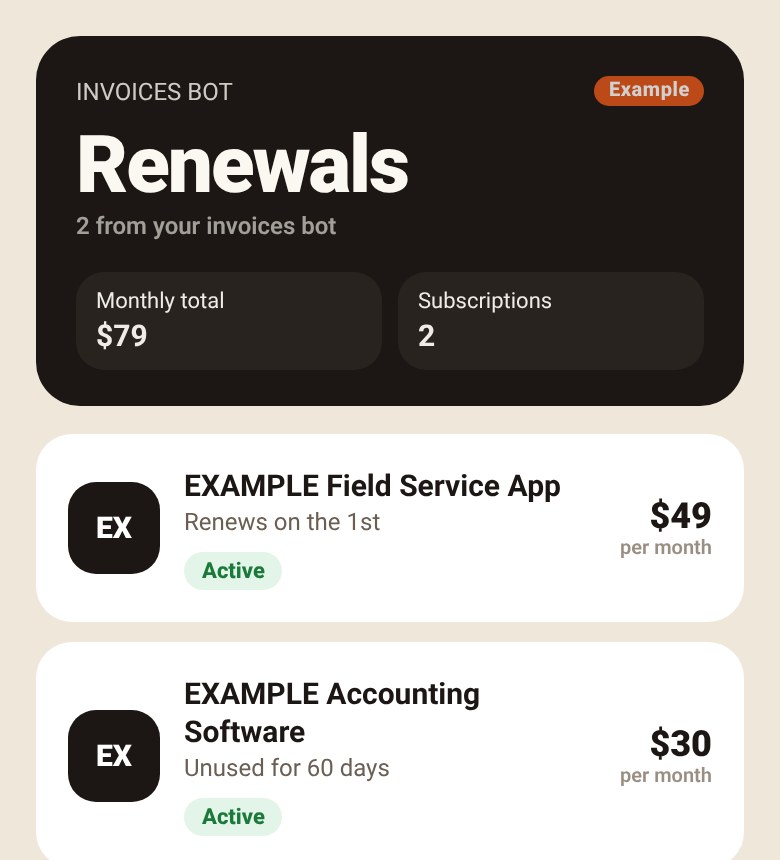
- “Build me a tool that shows my subscriptions by renewal date.”
- “Change the title to Renewals and add the monthly total.”
- “Looks good, save it to my dashboard.”
- “What's on my FastFix to-do list?”
- “Put a roof inspection on my schedule next Tuesday at 9 am at 45 Oak Ave, Springfield.”
Pricing
One FastFix account: your dashboard, your tools, your bots.
Limits
- Tool builder: 3 new tools and 5 edits per account per day, within a monthly budget. When a limit is hit, the tool says so and nothing is charged.
- Sign-in codes are rate limited per phone number and per network.
- Errors come back as a readable message. A temporary problem answers HTTP 503 with
Retry-After.
Your data
FastFix never sells your data or uses it to train AI.
- The connector reads and writes only your own account. Each account is isolated in the database (row-level security).
- FastFix stores what you and your agent put on the dashboard (tasks, comments, events, subscriptions, tools, proof screenshot links), your phone number, and a connection record for each agent. Agent access tokens expire after 30 days and refresh tokens after 90 days.
- To build a tool, your request and the relevant dashboard data are sent to Anthropic. Text codes go through Twilio. Data is hosted with Supabase and Vercel.
- To make the shared tool layout better for everyone, FastFix counts which layouts owners approve or rate. It counts only the layout's shape, never your words, numbers or account.
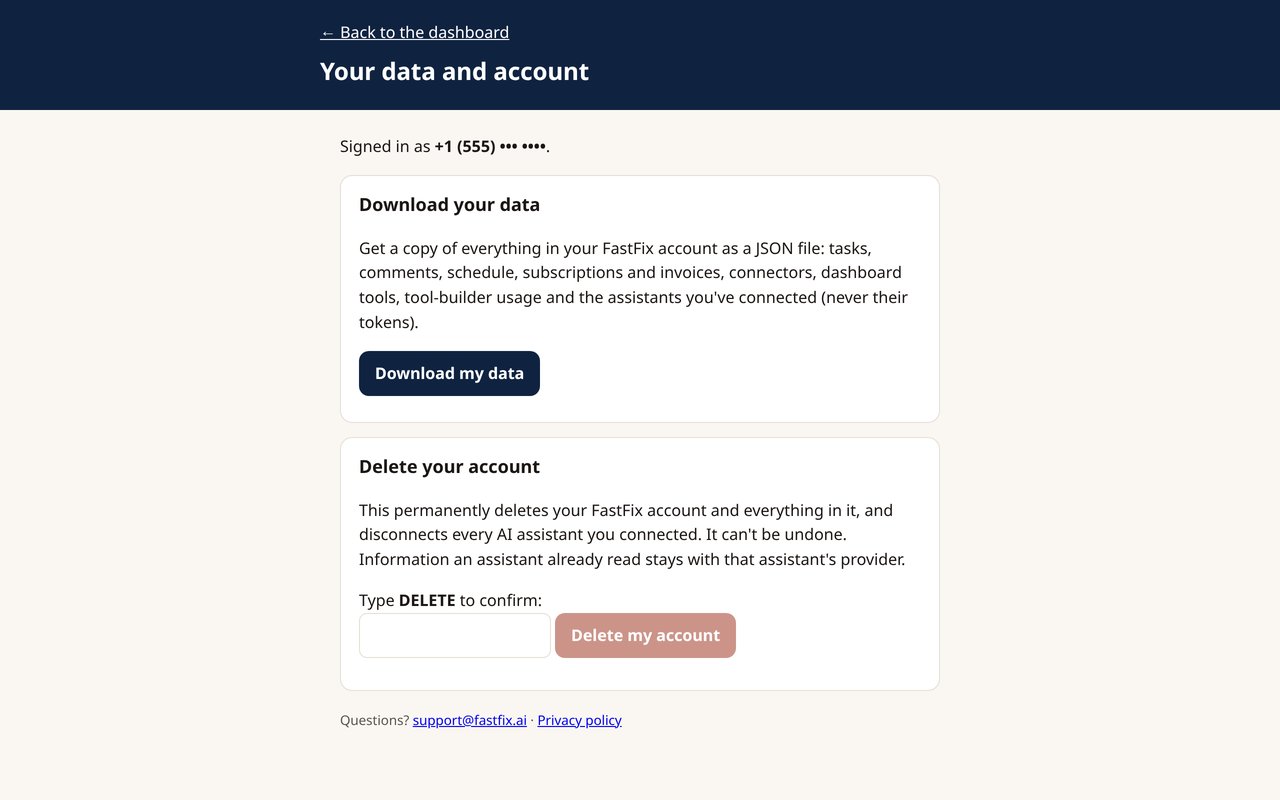
- Disconnect anytime by removing the connector in your agent. Download your data or delete your account at fastfix.ai/dashboard/account.
Full details: Privacy policy · Terms